

Documentation Index
Fetch the complete documentation index at: https://pond.dflow.net/llms.txt
Use this file to discover all available pages before exploring further.
During development, you can use the developer endpoints
without an API key. For production use, you’ll need an
API key to avoid rate limits.
Choose an Outcome Token
Start with the outcome mint you want to increase. If you need to find
outcome mints first, use
Discover Prediction Markets.
Request an Increase Trade
Request a trade from a stablecoin into the outcome token using 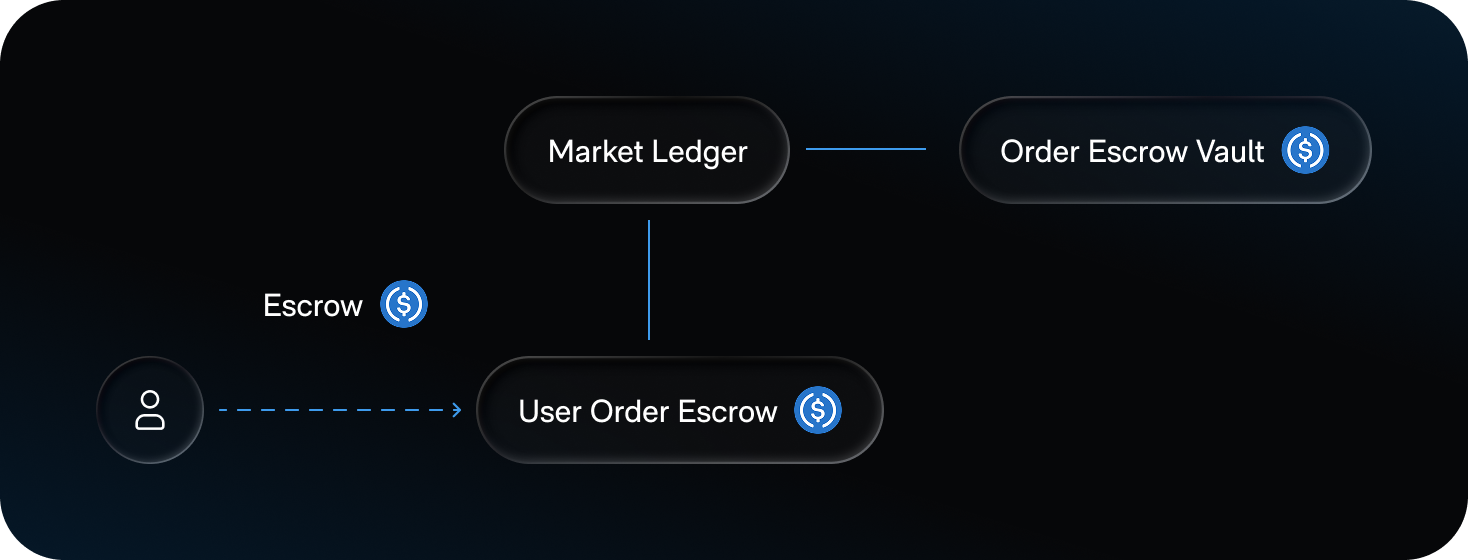
/order.
This opens an increase order and writes your limit price and side
(YES or NO) into the User Order Escrow account while escrowes your
stablecoin (USDC or CASH).Request an Increase Trade
Request an Increase Trade
Sign and Submit the Transaction
Sign the transaction returned by
/order and submit it to Solana.Sign and Submit the Transaction
Sign and Submit the Transaction
Monitor Order Status
Poll
/order-status for async orders. This returns fills and the final
status.Monitor Order Status
Monitor Order Status
Fill the Increase Order
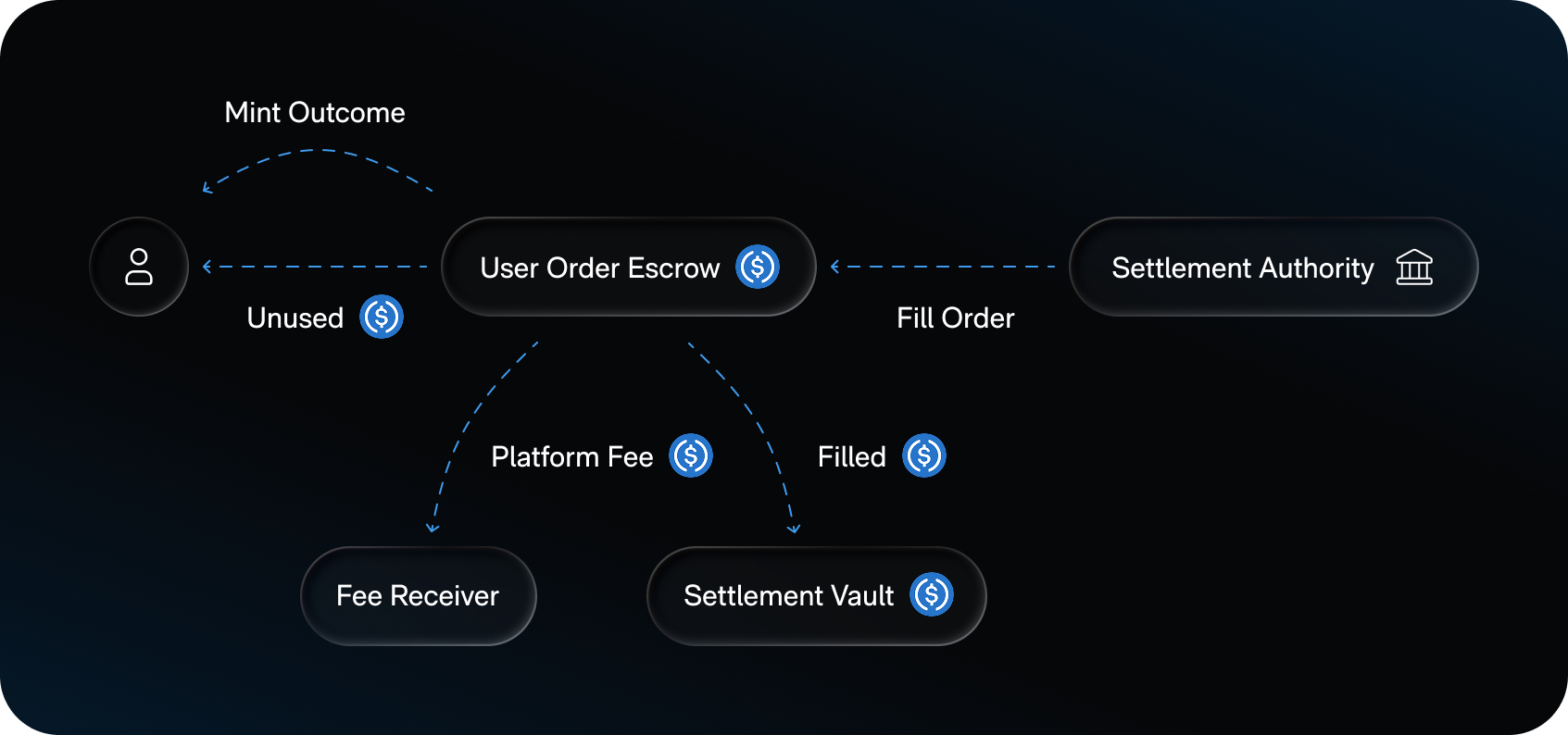
You do not call a separate endpoint to fill the order. The settlement authority
reads your limit price and side from User Order Escrow, submits a limit IOC
to offchain liquidity, and settles onchain. You receive outcome tokens, unused
stablecoins are refunded, platform fees are transferred, and the settlement
stablecoin moves to the Settlement Vault.
A limit IOC (Immediate‑Or‑Cancel) order executes immediately at the limit
price (or better) for whatever size is available right now. Any unfilled
portion is canceled instead of resting on the book.
Poll Until the Order Fills
Poll Until the Order Fills
KYC Requirements
Prediction market applications must use Proof to meet Kalshi compliance requirements.API Routes
Cookbook Repository
This recipe, along with many more, is available in the DFlow Cookbook Repo. You can clone it and start coding immediately.Need Help?

Join Our Discord
Connect with other developers, get help, and stay updated on the latest
DFlow developments.

Dev Notifications
Join the DFlow Dev Notifications Telegram group to stay in the loop on
new features and other announcements.